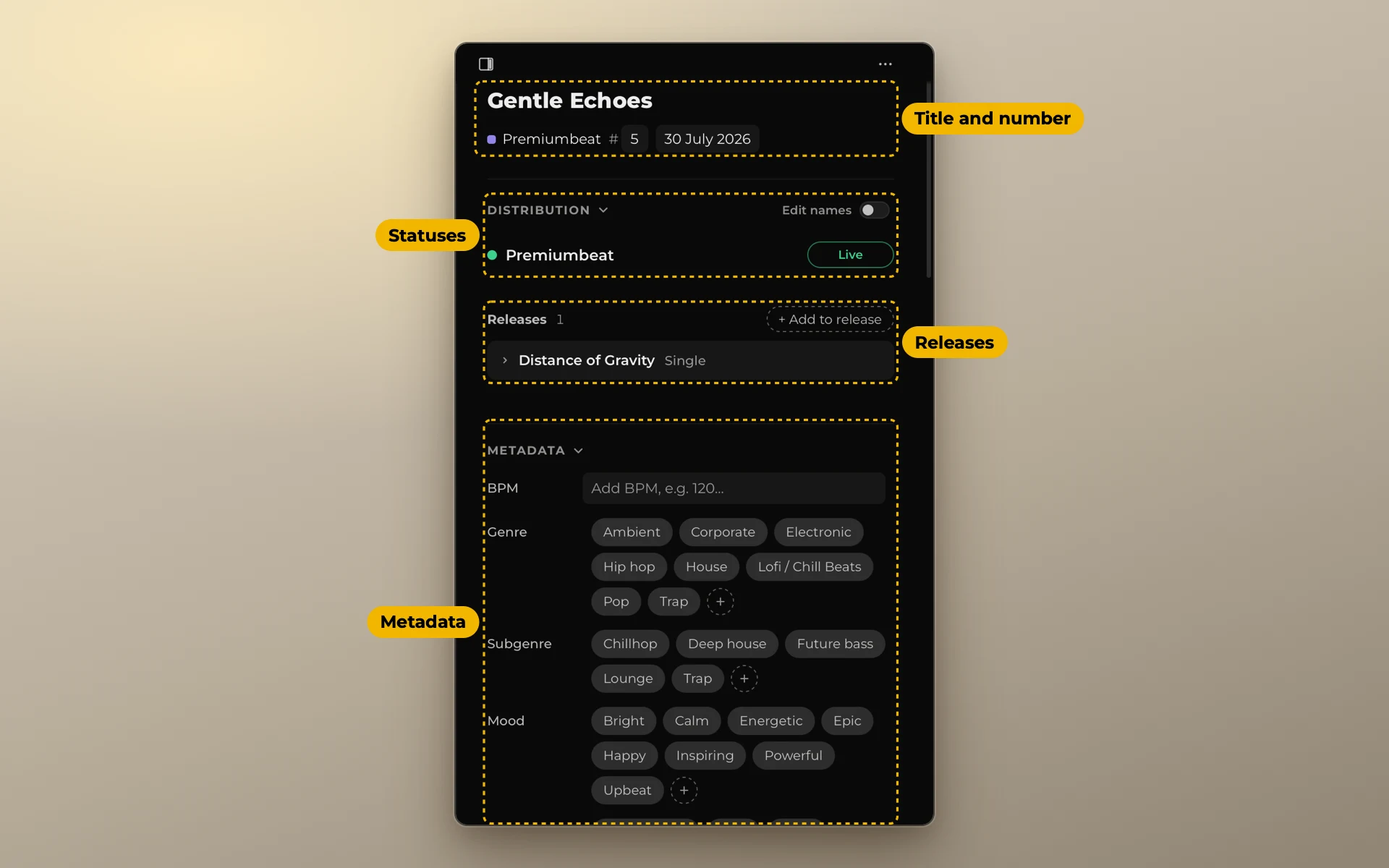
Music metadata checklist: what to fill in for every track
Libraries, stock sites and distributors ask for much the same details. Fill them in once, in one place, and copy them from there.
In short. Upload forms ask about three things. You: your name, your society and your number there, your publisher. The track: title, tempo, genre, mood, instruments, a description and tags. Codes and files: ISRC, ISWC, versions and stems. The first group you write once. The other two you write once per track.
About you: write it once
These are the same for every track. Keep them in one note you can copy from.
- Your artist or composer name, exactly as it appears everywhere.
- Your legal name, if a form asks for the writer's real name.
- Your performing rights society (PRO), such as ASCAP, BMI, PRS or GEMA.
- Your IPI number. The number your society gives you as a writer. Forms also call it CAE.
- Your publisher and its IPI, if you have one. If you publish yourself, your publishing name.
- Splits. Who else wrote the track, and each person's share.
About the track
| Field | What to write | Tip |
|---|---|---|
| Title | The main title | Check that no other track of yours has it |
| Date | When you finished it | A year is better than nothing |
| BPM | The tempo | A number, no words |
| Key | For example, A minor | Some libraries ask for it |
| Genre and subgenre | From the site's list | Go from specific to broad |
| Mood | Two or three words | The same words across your catalog |
| Use case | What it fits: vlog, trailer, corporate | Think of the video, not the music |
| Instruments | The ones you hear first | Piano, strings, synth bass |
| Vocals | None, male, female, choir, vocal samples | Instrumental is a search filter on many sites |
| Description | Two or three sentences | What it sounds like and what it fits |
| Tags | The words buyers type | See How to tag stock music |
Codes
- ISRC: the code of the recording. Your distributor or the ISRC agency in your country gives it.
- ISWC: the code of the composition. Your society gives it after you register the work.
- UPC: the code of a release. It belongs to the album, EP or single, not to the track.
See ISRC, ISWC and UPC for what each one is.
Files
- Versions: full mix, edits, loop, underscore. With their lengths.
- Stems: whether you have them.
- The file itself: most sites ask for WAV. Check each site's format before you export.
See Versions, cutdowns and stems.
Keep it in one place
Every form asks for these details in a slightly different order. If they live in one place, you copy and paste them. If they live in your head, you type them again for every site, and every time a little differently.
Use the same words across your whole catalog. Upbeat in one track and Upbeat/Energetic in the next are two different words to a search filter.