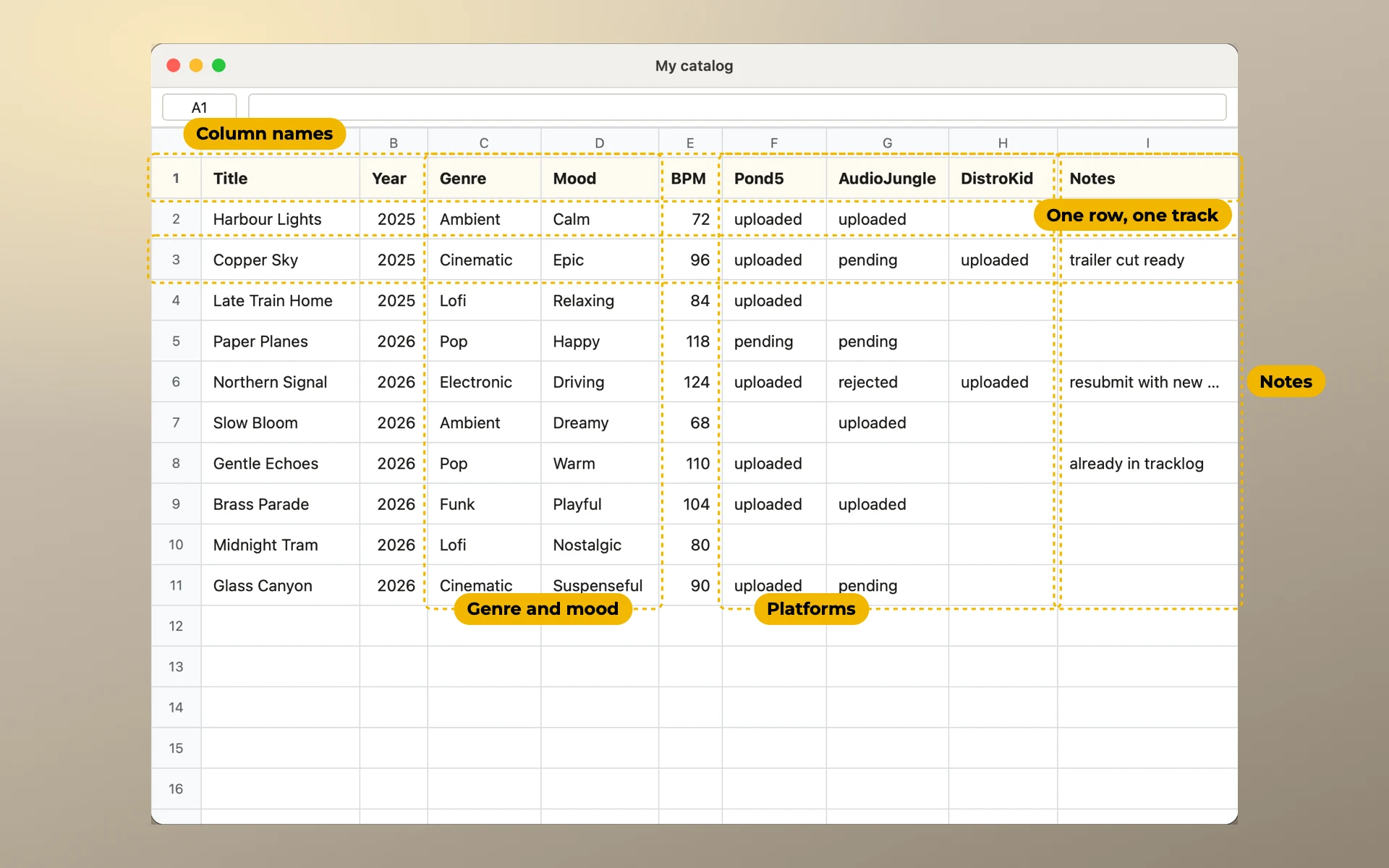
Free music catalog template for Excel and Google Sheets
One row per track, one column per platform. Download it free, then see why each column is there.
In short. The template has one row for each track and one column for each platform. A platform cell holds one word: Live, Review, Reject or To upload. Each word has its own colour. The file works in Excel, Numbers and Google Sheets.
Free, no email needed. The Google Sheets button makes your own copy in your Drive.
Many producers start where this one did:
"Not being very good at spreadsheets, I have been looking for a template to start with."
This is that template. Below, each column is explained, so you can change it to fit your work.
What is in the template
The file has 24 columns in five groups. The column names are coloured by group. The Excel file has a second sheet that explains each column.
| Group | Columns | What they hold |
|---|---|---|
| The track | #, Title, Length, BPM, Genre, Mood | Your number for the track, its main title, its length, the tempo, the genre and the mood |
| Codes | ISRC, ISWC | The recording code and the composition code |
| Where it is | AudioJungle, Storyblocks, Shutterstock, Motion Array, DistroKid | One column for each place. Each cell has a drop-down with four coloured words |
| Notes | Notes | Anything only you need to know |
| For upload forms | Subgenre, Use case, Tags, Description, Versions, Stems, Date, Name on Storyblocks, Release, UPC | The words upload forms ask for, the versions you made, when you finished the track, and its release |
The file has 14 made-up tracks. They show how a sheet in use looks. Delete them when you start.
Three rules that keep it working
One row is one track. Not one row for each upload, and not one row for each version. When a track goes to a new platform, you change a cell. You never add a row.
One platform is one column. Each cell holds one word. Use the same four words everywhere:
- Live: the track is published there.
- Review: you sent it and wait for an answer.
- Reject: it was not accepted.
- To upload: you plan to send it there.
Leave the cell empty when you don't send the track there.
Words come from a short list. Write a mood the same way every time: Calm, not calm in one row and Chill/Calm in the next. A filter for Calm will not find the other two. The platform columns already have a drop-down. For other columns, in Google Sheets use Data → Data validation. In Excel, use Data → Data Validation → List.
How to fill it in
- # is your own number. It never changes, even when a title does. Put it at the start of the file names too:
23_Harbour_Lights.wav. Then the folder sorts the same way as the sheet. - Date can be just a year. A guess like
2024is better than an empty cell. - Several values in one cell, like two moods or ten tags: separate them with a semicolon.
Calm; Dreamy. - Name on Storyblocks is for tracks that have another title on that platform. Add a column like this for each platform where it happens. See Retitling.
- ISRC and ISWC are two different codes. See ISRC, ISWC and UPC.
- Versions and Length go in the same order:
Main; 30s; 60sand2:31, 0:30, 1:00. See Versions, cutdowns and stems.
Add your own platforms
Rename the five platform columns and add one for every place your music goes. A stock site, a library, a distributor, a client. Your performing rights society can be a column too: mark a track Live there when its registration is done.
A new column needs the drop-down and the colours too. Copy a platform column and paste it, then rename it.
Keep the columns in the order you work. If you always upload to the same three sites first, put them first.
When the sheet gets big
- Freeze the first row and the Title column. The Excel file already has them frozen. In Google Sheets: View → Freeze.
- Keep the colours. In the template Live is green, Review is yellow and Reject is red. You read a column faster by colour than by word.
- Filter one platform column. Click the filter icon on its name and leave only To upload. You see what to send there next.
- Don't merge cells, and keep one table on one sheet. Merged cells and total rows break sorting, filters and imports.
- Keep the column names in the first row. A row of group names above them breaks imports too. Colour the names by group instead, as the template does.