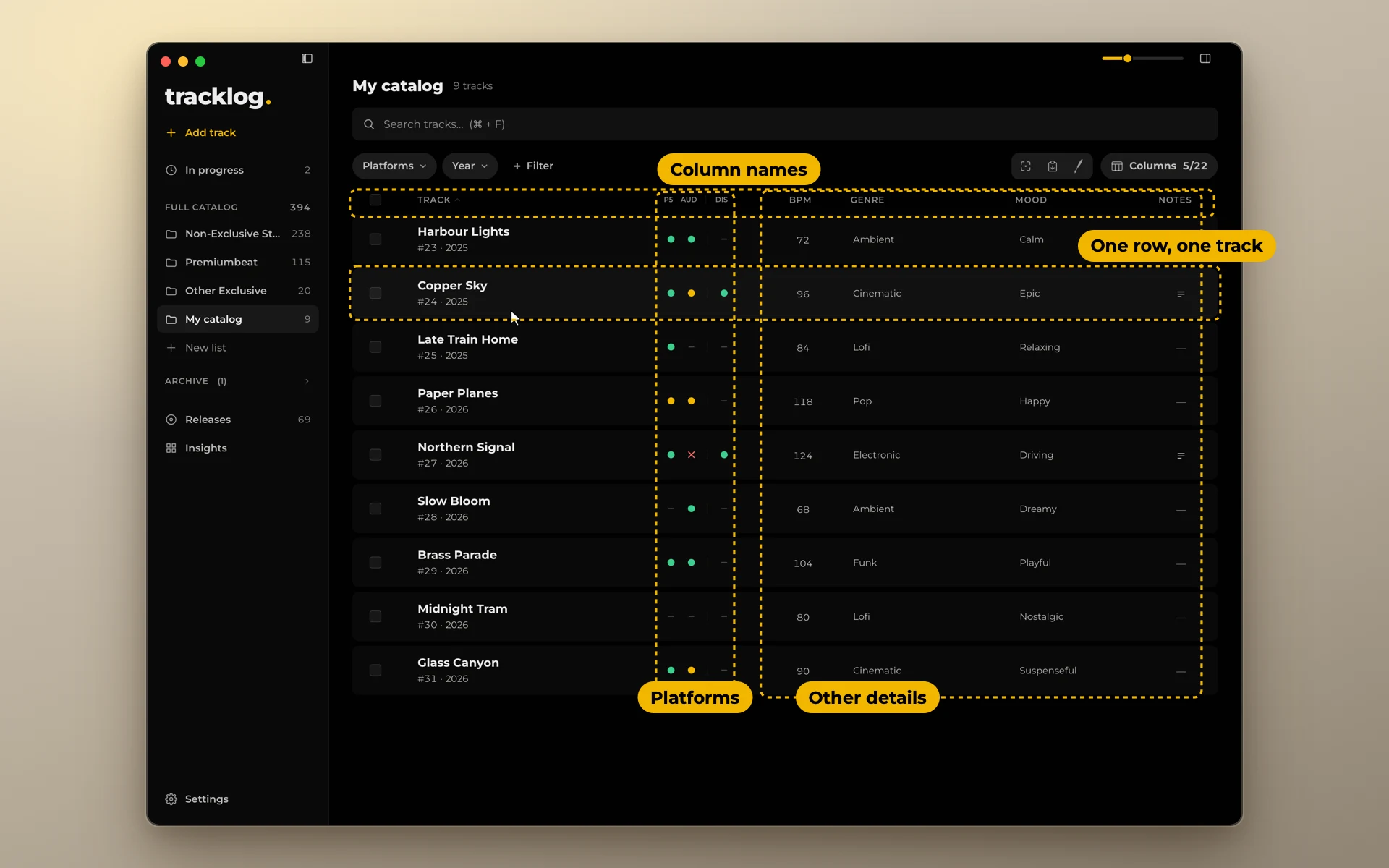
How to build a music catalog you can keep track of
Your catalog is every finished track you have, and where each one is. Here is how to set it up so it still works at 500 tracks.
In short. Keep one record for the whole catalog. Give every track a number that never changes. Split tracks into lists by deal or client. For each platform, record one status. Fill in the metadata once. Note versions and releases. Back the record up like you back up your music.
What a catalog is
In the music business, "catalog" often means rights that someone buys and sells. Here it means something simpler: every finished track you have, what it is, and where it is.
For a producer who sells on stock sites, works with libraries or releases through a distributor, the catalog is the thing you work with every week. You upload from it, answer questions from it, and plan from it.
One record, one place
The catalog lives in one place. One spreadsheet, or one app. Not a sheet plus notes plus folder names plus your inbox.
Everything below is a column, or a field, in that one place.
A number for every track
Give every finished track a number when it enters the catalog. The number never changes. Not when the track is renamed, not when it moves to another list.
Put the number at the start of the file and folder names: 023_Harbour_Lights. Then files, folders and the catalog sort the same way, and a track can be found even after a library gives it a new title.
A year inside the number helps if you number from 1 every year: 2026-001, 2026-002.
Lists by deal or client
Split the catalog into lists by how the tracks are sold:
- tracks you send to many places (non-exclusive);
- tracks that are exclusive with one library;
- tracks you made for one client.
The split matters most for exclusive tracks. A track that must stay in one place should never sit in the same list as the ones you upload everywhere.
A status for each platform
For every track and every platform, record one status: Live, Review, Reject, To upload, or nothing. That is the heart of the catalog. See How to keep track of where your music is uploaded.
Metadata, once
Genre, mood, tempo, instruments, description, tags, codes. Write them once per track, with the same words across the catalog. See the metadata checklist.
Versions and releases
- Versions: the full mix, the edits, the loop, the stems. Note which exist. See Versions, cutdowns and stems.
- Releases: the singles, EPs, albums and packs a track came out on, each with its date and UPC. See Single, EP or album.
Work in progress stays apart
A track you are still writing is not in the catalog yet. Keep it in its own list with only a working title. Give it a number and fill in the metadata when it is finished. Otherwise half-finished tracks fill your filters and counts.
Back it up
Your catalog record is worth as much as the music. Losing it means weeks of checking every platform by hand.
- Keep copies in two places, one of them off your computer: a cloud folder or an external drive.
- Make a copy before big changes, like an import or a cleanup.
- Check once that a copy really opens.