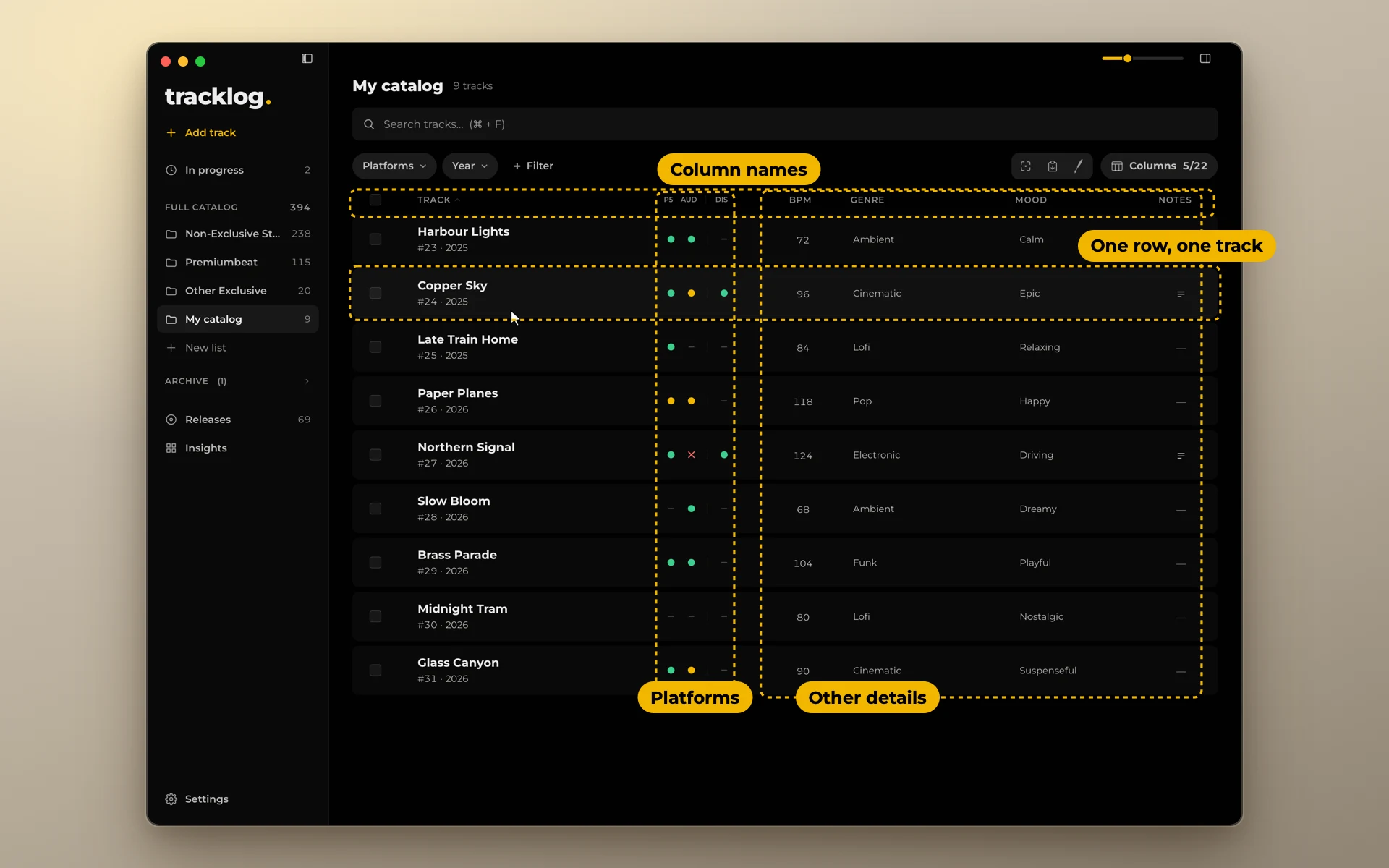
How to keep track of where your music is uploaded
Your tracks are on stock sites, in libraries and with a distributor. Here is a simple way to always know where each one is.
In short. For each track and each platform, write down one thing: the status. Five statuses are enough. Update the record when you upload, not later. Once a week, look at everything still in review.
Why it gets lost
A catalog of 100 tracks on 8 platforms is 800 places where a track can be. Nobody keeps that in memory.
It gets harder because uploads happen in batches. A review takes days or weeks. The answer comes by email, a month later, when you no longer remember what you sent. When a track is rejected and nobody writes it down, it quietly stays nowhere.
Write down one thing: the status
For every track and every platform, record its status. Nothing else.
| Status | Meaning |
|---|---|
| Live | Published there |
| Review | Sent, waiting for an answer |
| Reject | Sent, not accepted |
| To upload | You plan to send it there |
| Not marked | Nothing recorded, or you don't send it there |
Why not dates, links and notes for each upload? Because every extra field multiplies the work. With 800 places, three fields each is 2,400 things to keep up to date. A record that is too much work stops being updated. A record that is not up to date is worse than none: you trust it, and it is wrong.
If a track needs a note, write one note on the track, not one for each platform.
Where to keep the record
Keep it in one place, and only one. A spreadsheet works: one row for each track, one column for each platform. You can start from our free template.
These don't work as a record:
- Folder names like
Uploaded to AudioJungle. A track is in many places at once, and a file can be in one folder. - Your email. The answers are there, but you can't see a track's whole state in one look.
- The platforms' own dashboards. Each one shows only itself.
A routine that takes minutes
- When you upload, mark the track at once. Review where the platform checks tracks, Live where it doesn't. It takes a second while you are still on the page.
- When an answer comes, update the status. Accepted means Live. Rejected means Reject.
- Once a week, look at everything in Review. A track that has waited for weeks may need a message to the platform.
- Before an upload session, look at To upload for that platform. That is your list for the session.
Exclusive deals
Some libraries take a track only if it is nowhere else. If a track is exclusive somewhere, that has to be visible before you upload it anywhere else.
The simplest way: keep exclusive tracks in a separate list or sheet. Then a track you are about to upload to a stock site is never one of them by accident.
When a title differs
A library may give your track a new title. Write down the name the track has on each platform, next to that platform. Otherwise, a year later, a sales report names a track you can't find. See Retitling.