Retitling: when one track has several titles
Some libraries give your track a new title. Here is why they do it, what can go wrong, and how to keep every title straight.
In short. Retitling means one recording carries a different title in each library. Libraries do it so each one can register and collect for its own copy. It can cause trouble with YouTube Content ID and with royalties. Keep a record of the title on each platform and of every title a track ever had. Never give a new track a title an old one used.
What retitling is
You write a track called "Harbour Lights". One library takes it under that title. A second library takes the same recording and registers it as "Quiet Harbour". A third calls it "Morning Pier". It is one recording with three titles.
Retitling is common with non-exclusive libraries, where the same track is offered by several companies at once.
Why libraries do it
When a track is used on TV or online, the use is reported, and the royalties go to whoever registered the title. If three libraries register the same title, nobody can tell which library licensed the use.
A separate title for each library gives each one its own registration with performing rights societies. Each library then collects only for its own placements.
What can go wrong
- YouTube Content ID. When several companies claim the same audio, the claims conflict. A creator who licensed the track properly can still get a claim.
- Royalties nobody collects. Systems that recognise music by its sound find one recording with several registered titles. When they can't tell who to pay, the money can go unpaid.
- Your own records. A sales report names "Morning Pier". Without a record, you no longer know which of your tracks that is.
Because of these problems, some libraries no longer retitle, and some composers avoid libraries that do.
Before you agree
Read the agreement, and ask the library:
- Will it register the track under a new title?
- Will it put the track in Content ID?
- Is the deal exclusive, and for how long?
If one library puts a track in Content ID, sending the same recording to other libraries can cause the claim conflicts above.
How to keep titles straight
Composers have asked about this for a long time:
"I’m wondering – do you not re-title your tracks? Keeping track of the various names I’ve given my tracks is one of my biggest concerns."
Five habits keep it under control:
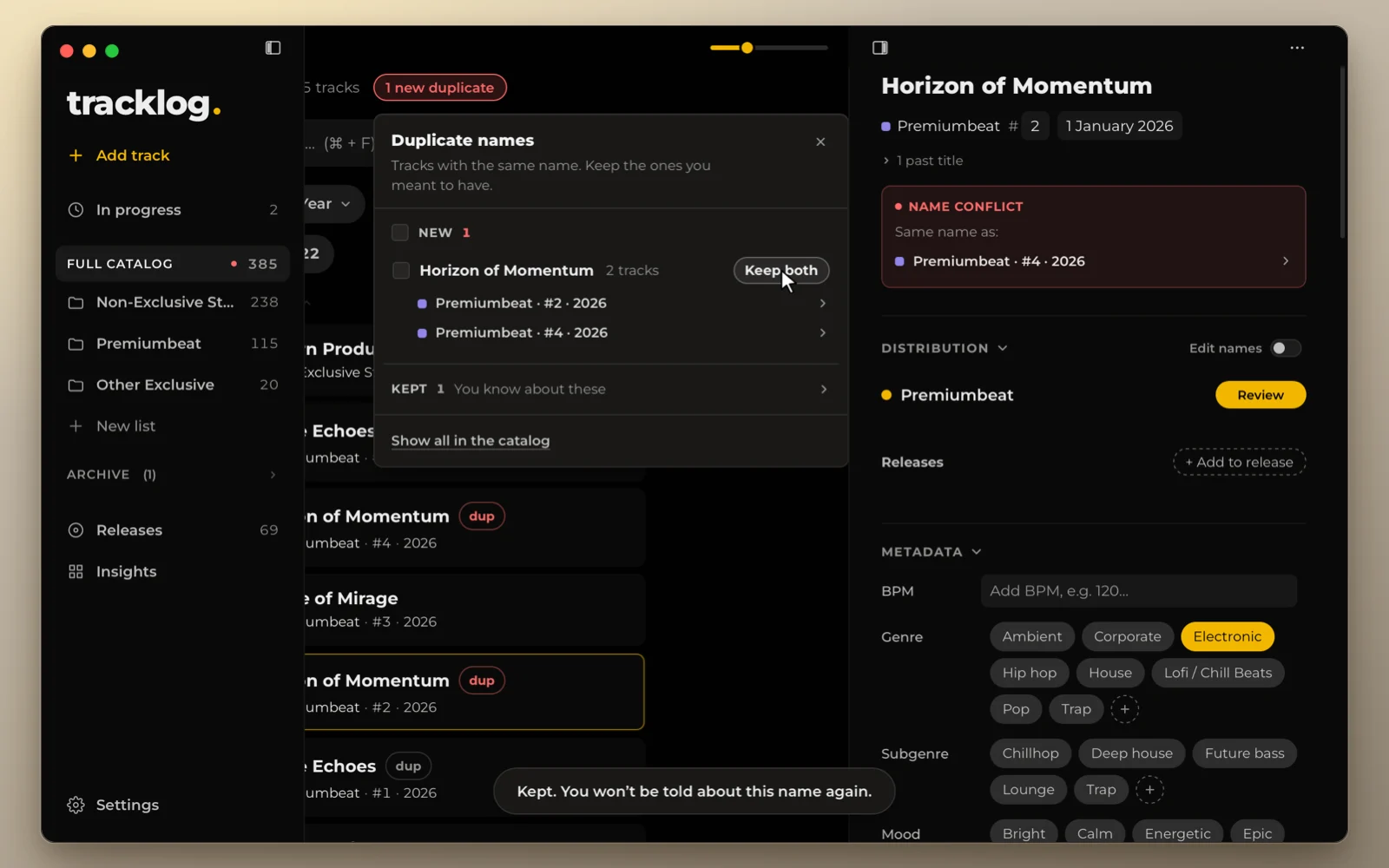
- Keep one main title for each track. It is the name you use, and it never changes.
- Write down the name the track has on each platform. Next to that platform, in the same row.
- Keep the old titles. If you rename a track, the old title stays in your record. A platform or a society may still know the track by it.
- Never reuse a title. A new track must not get a title that any track ever had, on any platform. Otherwise two recordings answer to one name.
- Name your files by number, not by title.
23_Harbour_Lights.wavstill sorts and matches after the title changes in a library.
Sources
- Qualifying for Content ID, YouTube Help
- Retitling in production music: what it is and why it matters, Atomica Music
- Retitling articles, MusicLibraryReport