Add a track
Add one track by hand. For many tracks at once, import a spreadsheet or a folder.
Add a track
Click Add track or press ⌘ + N. Type a title.
Choose In progress for a track you are still writing, or Ready for a finished one. A ready track needs a list. The date can be a full date, a month or just a year.
Repeated titles
tracklog warns about a repeated title while you type. It also checks names used on platforms.
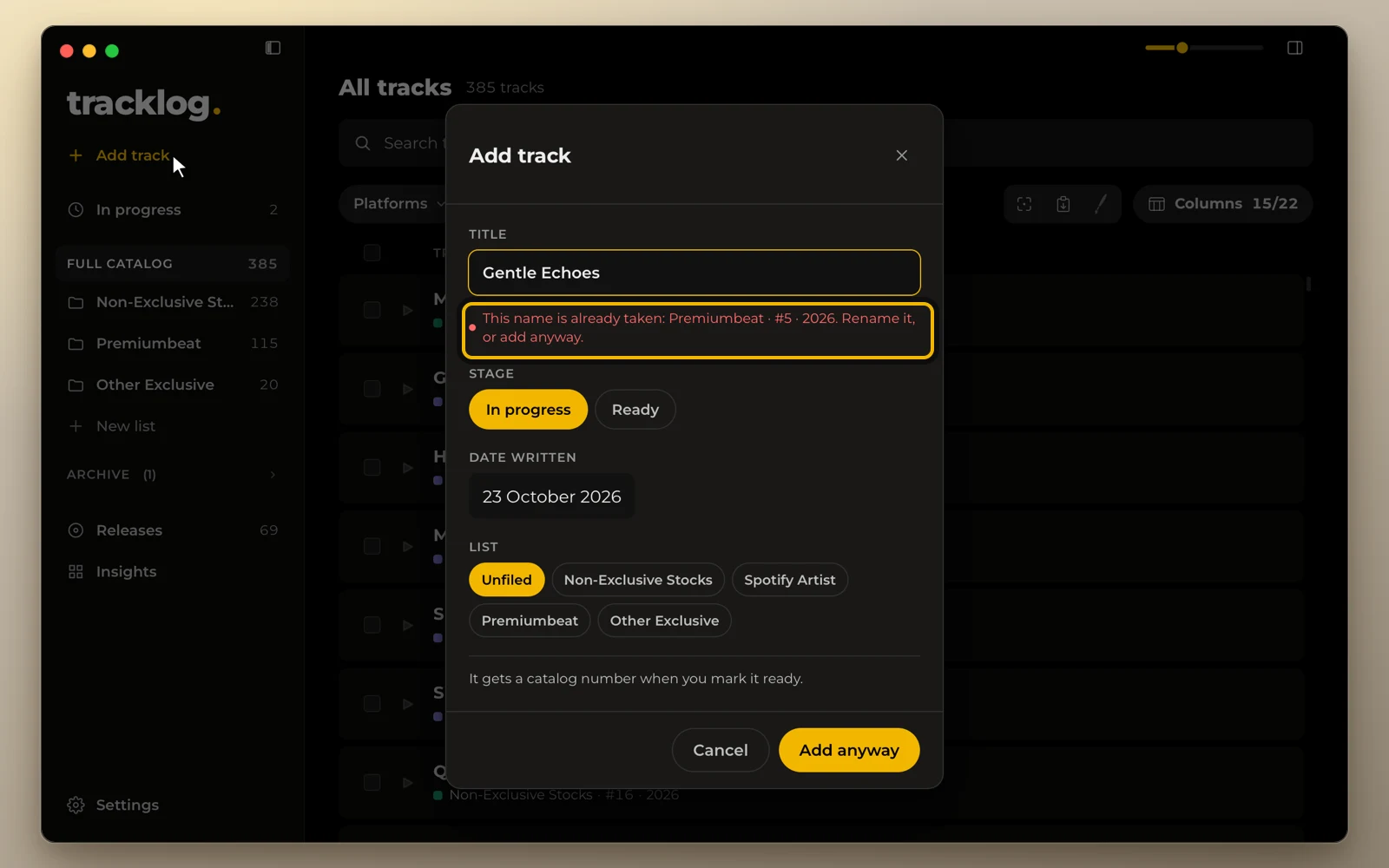
Check this before you offer a track exclusively. If the repeat is on purpose, add the track anyway. A repeated title carries a dup mark in the list.
To see every duplicate and keep the ones you meant to have, see Duplicate names.
For many tracks at once, see Import a spreadsheet and Import a folder.