Duplicate names
tracklog tells you when two tracks share a name. Keep the ones you meant to have, and it stops counting them.
How tracklog finds them
A duplicate is one name that more than one track uses. tracklog checks titles, names on platforms and old titles. A platform or a registry still knows a track by the name it was sold under. So a new track with that name is a duplicate too.
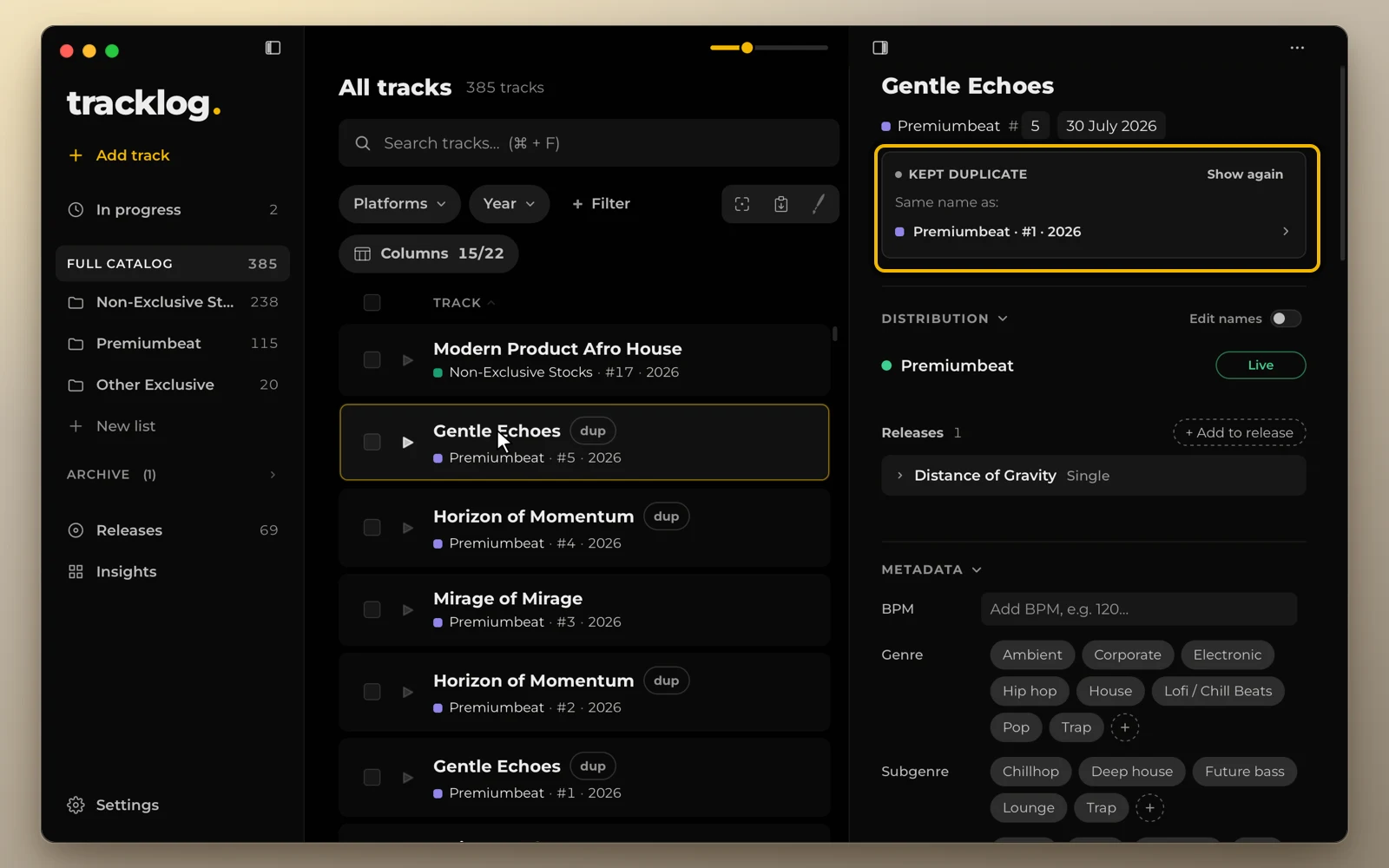
A track with a duplicate name has a red dup mark in the list. Its card says which other track has the name.
See every duplicate
When there is a new duplicate, a red new duplicates button appears at the top of Full Catalog. Click it. The list shows each name and the tracks that share it. Click a track to open it.
If you meant to have them, click Keep both. tracklog stops counting them. The tracks stay as they are. To keep several names at once, tick them and click Keep selected.
A new track with a kept name makes it new again. The name goes back among the new ones. The new track comes first and is marked new.
To fix a duplicate instead, rename one of the tracks in its card.
Look at kept duplicates
Kept duplicates are not counted, but they are still there. Click + Filter and choose Duplicate names. The list shows every duplicate, new and kept.
Click the filter to open the same list. Show again puts a name back among the new ones.
You can also click a grey dup mark in the list. On a Mac, View → Duplicates… opens the list too.
In the track card
The card of a kept duplicate says so in grey. It names the other track and has Show again.
A title you type is checked as you type, in the card and in the Add track window. See Add a track.