Track card
Click a track and its card opens on the right. Everything about the track is here, and one click edits any value.
Edit a value
One click edits any value. Press Return or click outside to save. Every change saves at once.
What is on the card
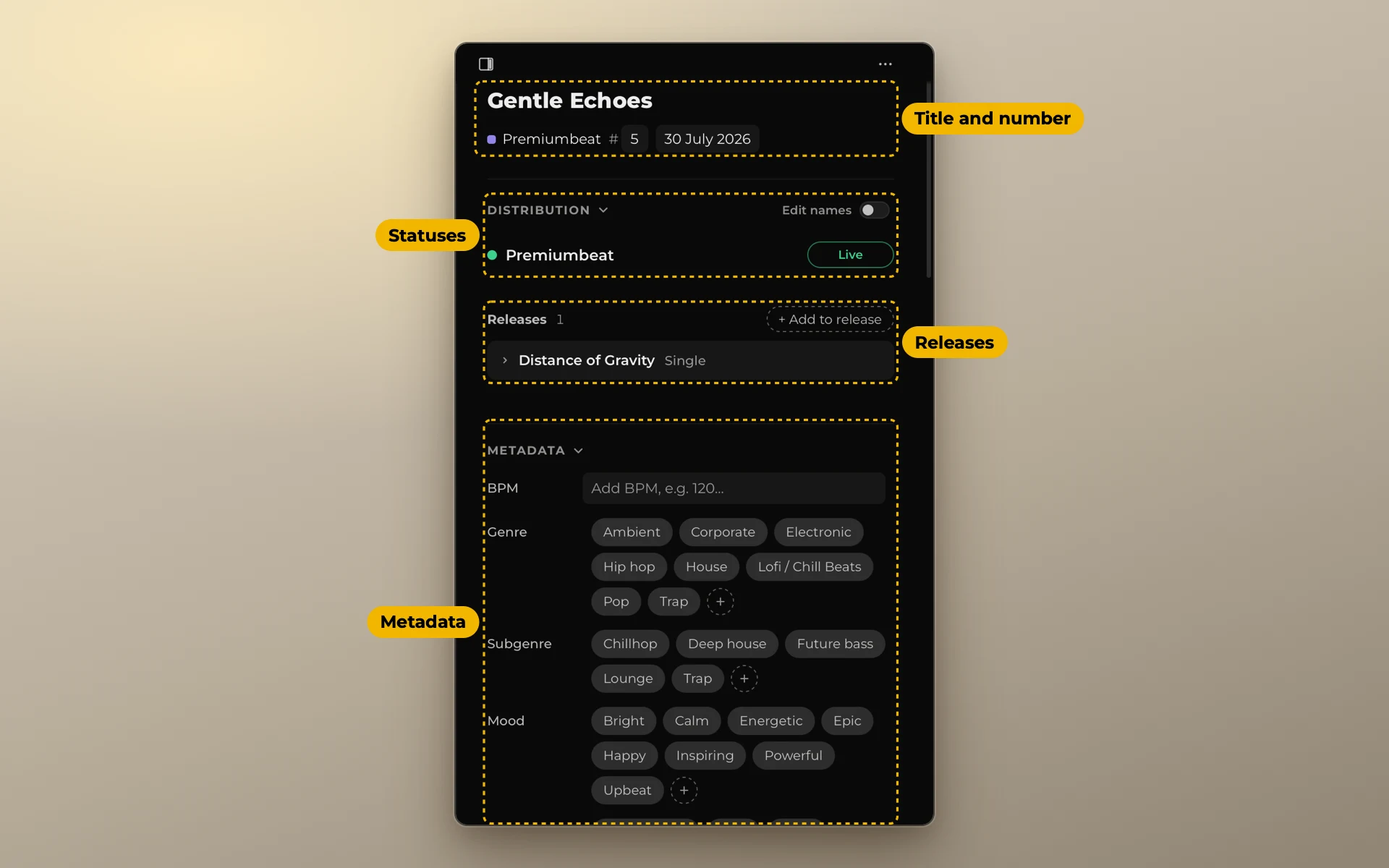
- Distribution: the status on every platform of the list, and the releases the track is in.
- Metadata: BPM, genre, mood and the other fields you turned on.
- Files, codes, checks and notes.
To copy a value, click the copy icon next to it. To copy the title, right-click it.
If a platform uses another name for the track, turn on Edit names and type it under that platform.
If another track has the same name, the card says which one. See Duplicate names.
Your own done or not done marks, like Mastered, are created in Settings → Checks.
Files
Files shows where the track's files are: the project folder on top, then the project file, the versions with their lengths, and the stems. Click the project folder to open it in Finder, or in File Explorer on Windows. Click the project file to open it in your music program. Click a version or a stem to listen to it. To link the whole catalog at once, see Link your files. To listen, see Listen to your tracks.