Install and first launch
Put tracklog on your Mac or your Windows computer, answer two questions and start the 14-day trial.
Install on a Mac
tracklog needs macOS 11 or later and a Mac with Apple silicon (M1 or newer).
- Download the
.dmgfile. - Open it and drag tracklog into Applications.
- Open tracklog from Applications.
The app is signed and checked by Apple, so macOS opens it without warnings.
Open it from Applications, not from the .dmg. If you start it from the .dmg or from Downloads, tracklog offers to move itself to Applications first. It can only update itself there.
Install on Windows
tracklog needs Windows 10 (version 1809 or later) or Windows 11, 64-bit.
- Download the installer,
Tracklog_…_x64-setup.exe. - Edge may say the file isn't commonly downloaded. Click the three dots, then Keep. A window opens. Click the small arrow next to Delete, then Keep anyway.
- Open the file. Windows shows a blue window: Windows protected your PC.
- Click More info, then Run anyway.
- The setup installs tracklog. Click Finish, and tracklog opens.
Windows warns about every new app it doesn't know yet. The blue window means only that: Windows has not seen this installer before. It does not mean something is wrong with it.
Later you open tracklog from the Start menu.
Answer two questions
On the first launch tracklog asks two questions. You can change every answer later in Settings.
- How your tracks get in. From a spreadsheet, from a folder of audio files, or one by one by hand.
- Where you upload. Tick every site you send music to. Each one becomes a column.
If you import a spreadsheet, tracklog does not ask the second question. The platforms come from the columns of your file. Instead, it shows two pictures of a sheet that will do. Then you choose the file.
To see these questions again, open Settings → Import & export and click Run setup again…. It changes nothing in your catalog.
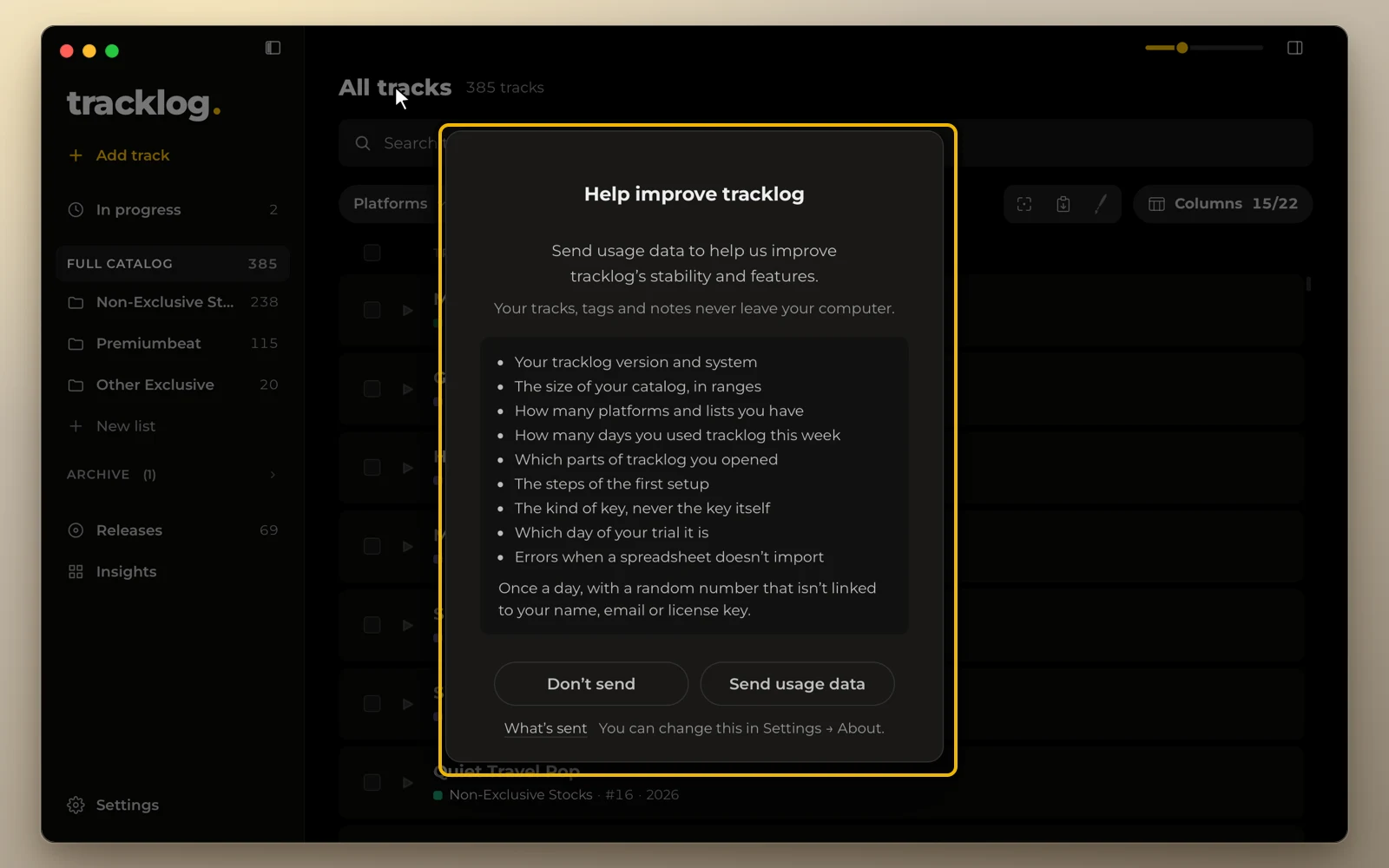
After setup, tracklog asks once if it may send usage data. Either answer is fine. You can change it in Settings → About.
Trial and license key
For 14 days of work you get the full app without a key. A day counts only when you open tracklog.
When the trial ends, your catalog stays open. Viewing, search, export and backups still work. Adding and editing tracks needs a license. tracklog says so once, with Buy a license and Enter a key.
To enter a key, open Settings → License and paste it. The first time, tracklog activates the key online. After that it works offline. Plans are on the Pricing page.