Import a folder
Add tracks from a folder of audio files. tracklog reads the names, the versions and their lengths.
Import a folder
- Open Settings → Import & export and click Add tracks from a folder…. Choose the folder.
- Choose In progress or Ready, and the list.
- Tick the tracks you want and click Add.
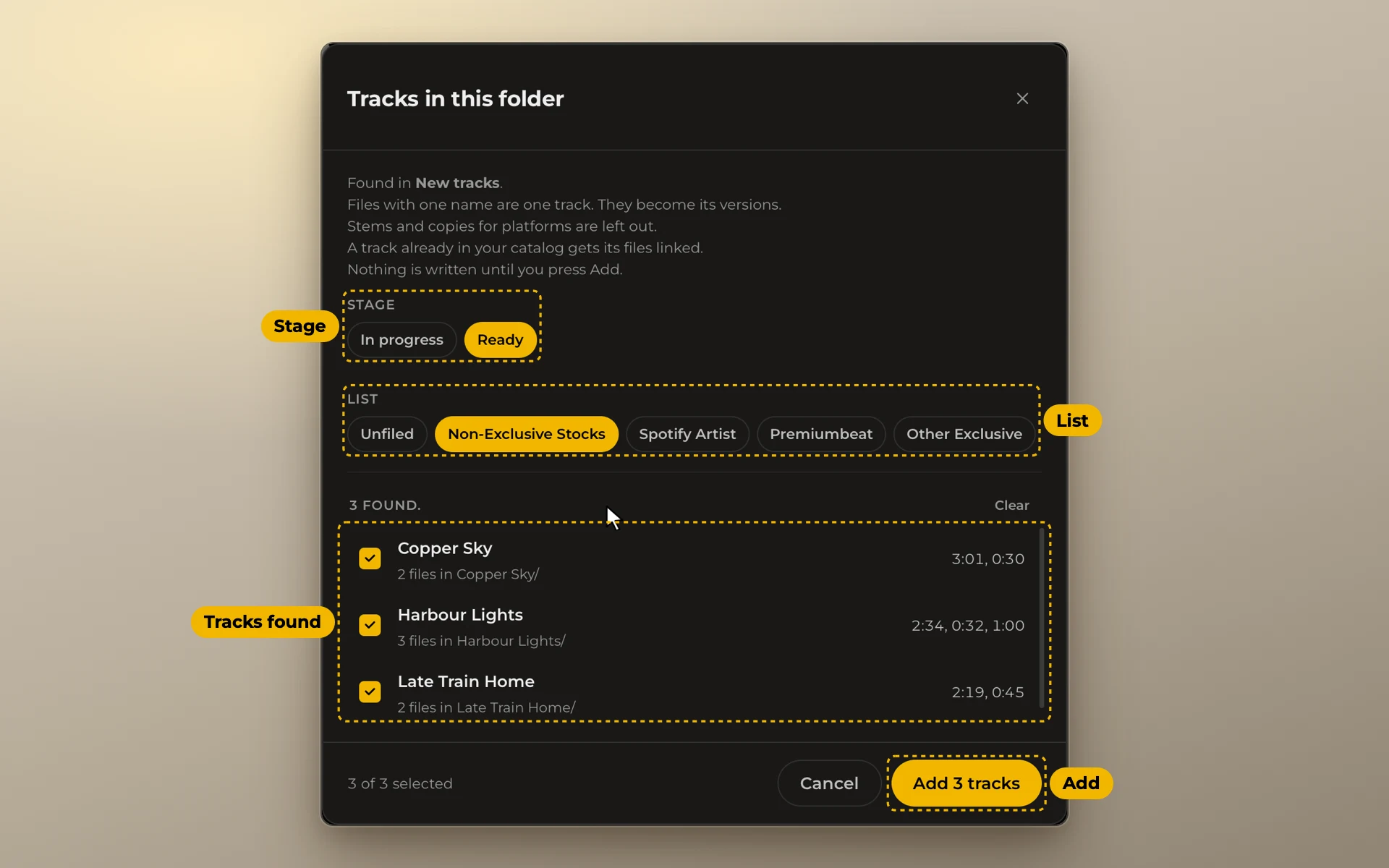
tracklog looks through the whole folder, however deep. Files with one name are one track. They become its versions: main, loop, short edits. Stems and copies for platforms are left out. The project file and the stems folder are linked too.
A track that is already in your catalog is not added again. Its row says in catalog, link files, and its files are linked to it.
Nothing is written until you click Add. To link your whole catalog at once, see Link your files.
Then tracklog asks Keep watching this folder? Click Keep watching, and it becomes one of your music folders. tracklog then shows new renders from it. It also tells you when its drive is not connected. A folder that is already a music folder, or is inside one, is not asked about.