The window
A tour of the main window. What each part is for, and where to find it.
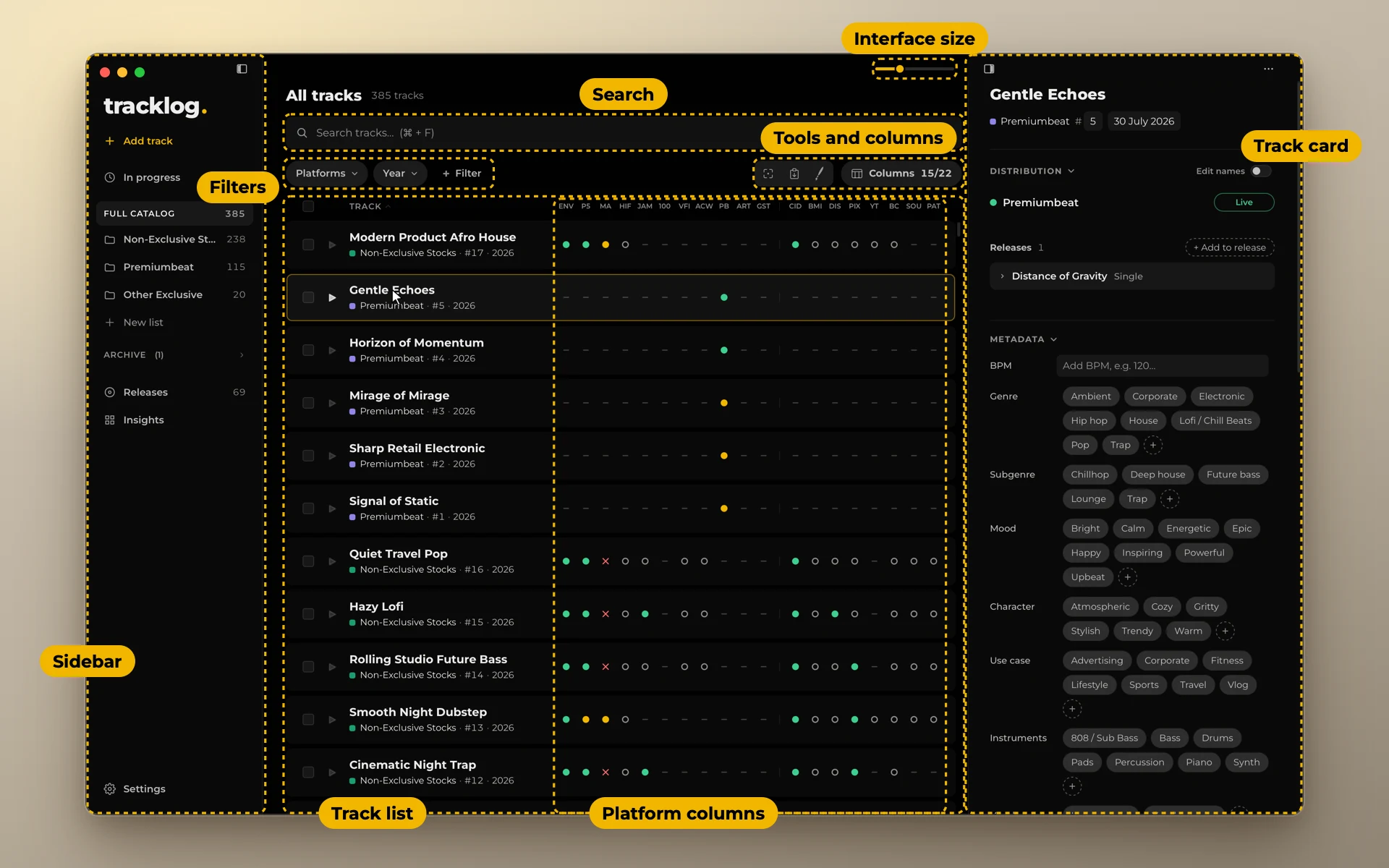
- Sidebar. Add a track, open In progress, your lists, Releases, Insights and Settings. Press Tab to hide it.
- Search. Looks through everything on a track.
- Filters. Show only the tracks you need: by platform and status, year and more.
- Tools and columns. The focus window, the fill window, the paint brush for statuses, and the Columns menu.
- Platform columns. One column for each platform of the list. A dot is the track's status there.
- Track list. One row for each track: title, list, number and year.
- Track card. Opens on the right when you click a track. Everything about the track is there. See Track card.
- Player. Comes up at the bottom of the window when you play a track. See Listen to your tracks.
- Interface size. Makes everything bigger or smaller. ⌘ + Plus and ⌘ + Minus do the same.
Hover over any button to see what it does. The hint also shows the keyboard shortcut, if there is one.