In progress and catalog numbers
A track you are still writing waits in In progress. When it is finished, it moves to a list and gets a catalog number.
In progress
A track you are still writing is in progress. It only needs a working title. It has no number and no platform statuses yet.
Open In progress in the sidebar to see these tracks.
Mark a track ready
When the track is finished, open it and click Mark ready. The track moves into the catalog: into the list you chose when you added it, or into Unfiled. It gets a number and a status for every platform of that list.
To send a track back, right-click it and choose Back to in progress. For several tracks, use the bar in Edit many tracks.
Catalog numbers
The # is a label that a track gets once and keeps. Moving or deleting other tracks never changes it. So file names like 42_Sweet_Bossa_Nova.wav always match.
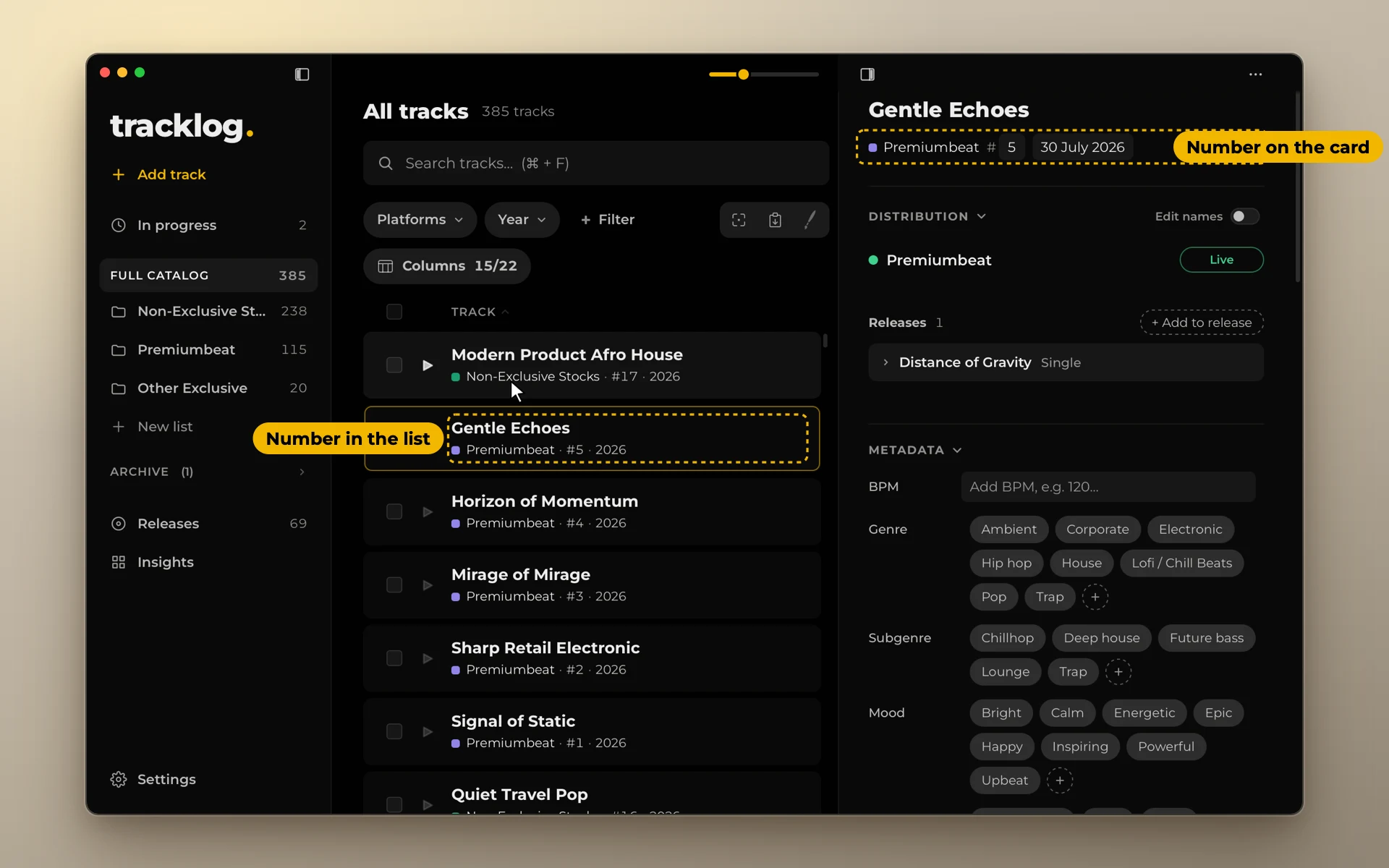
tracklog continues your last number: 42 then 43, 2026-001 then 2026-002. To start a new series, type the first number by hand.