New computer
Move your catalog and your license to another computer, Mac or Windows.
Move to a new computer
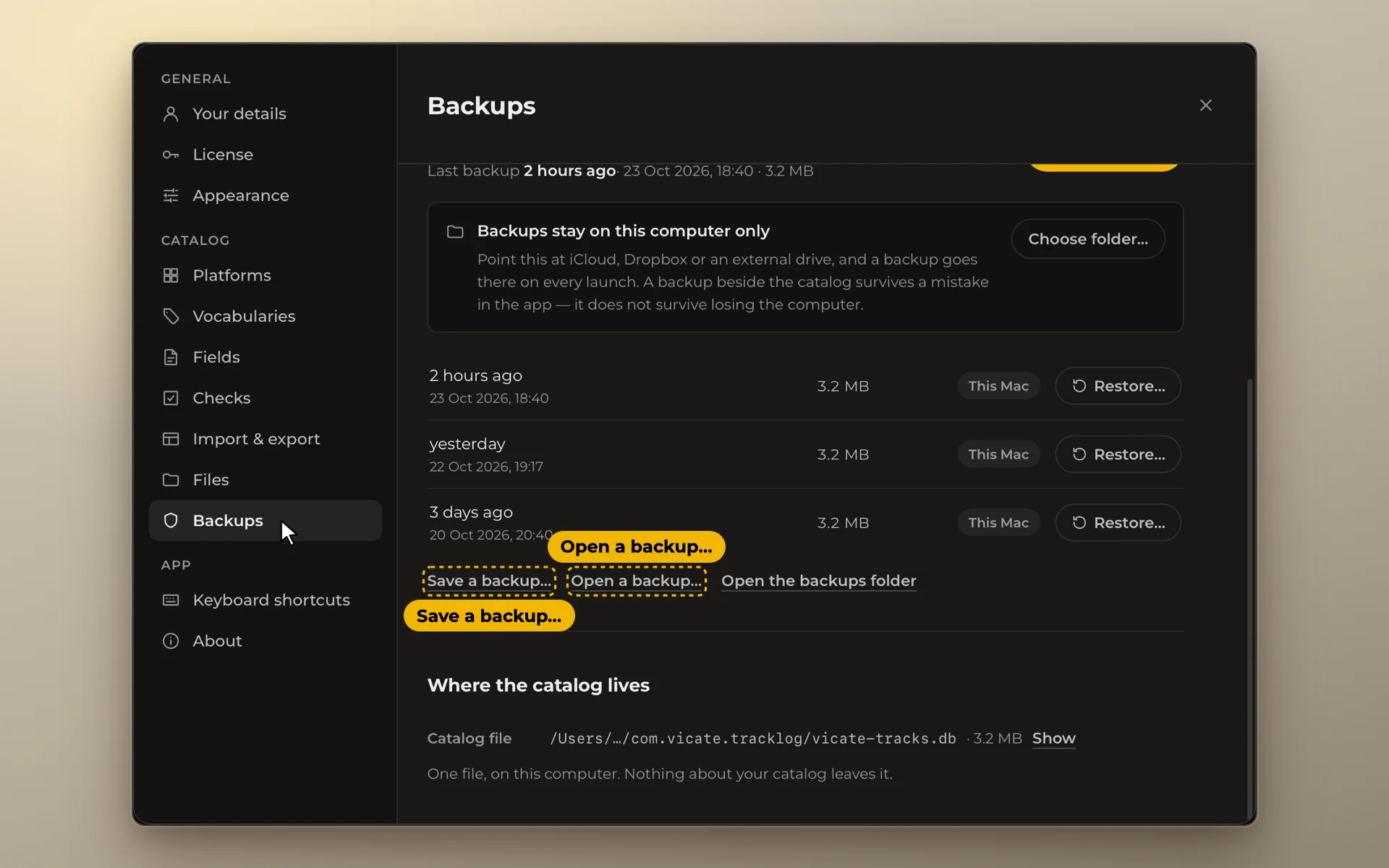
- On the old computer: Settings → Backups → Save a backup…. Save the file where the new computer can reach it: iCloud Drive, a USB stick, an email to yourself.
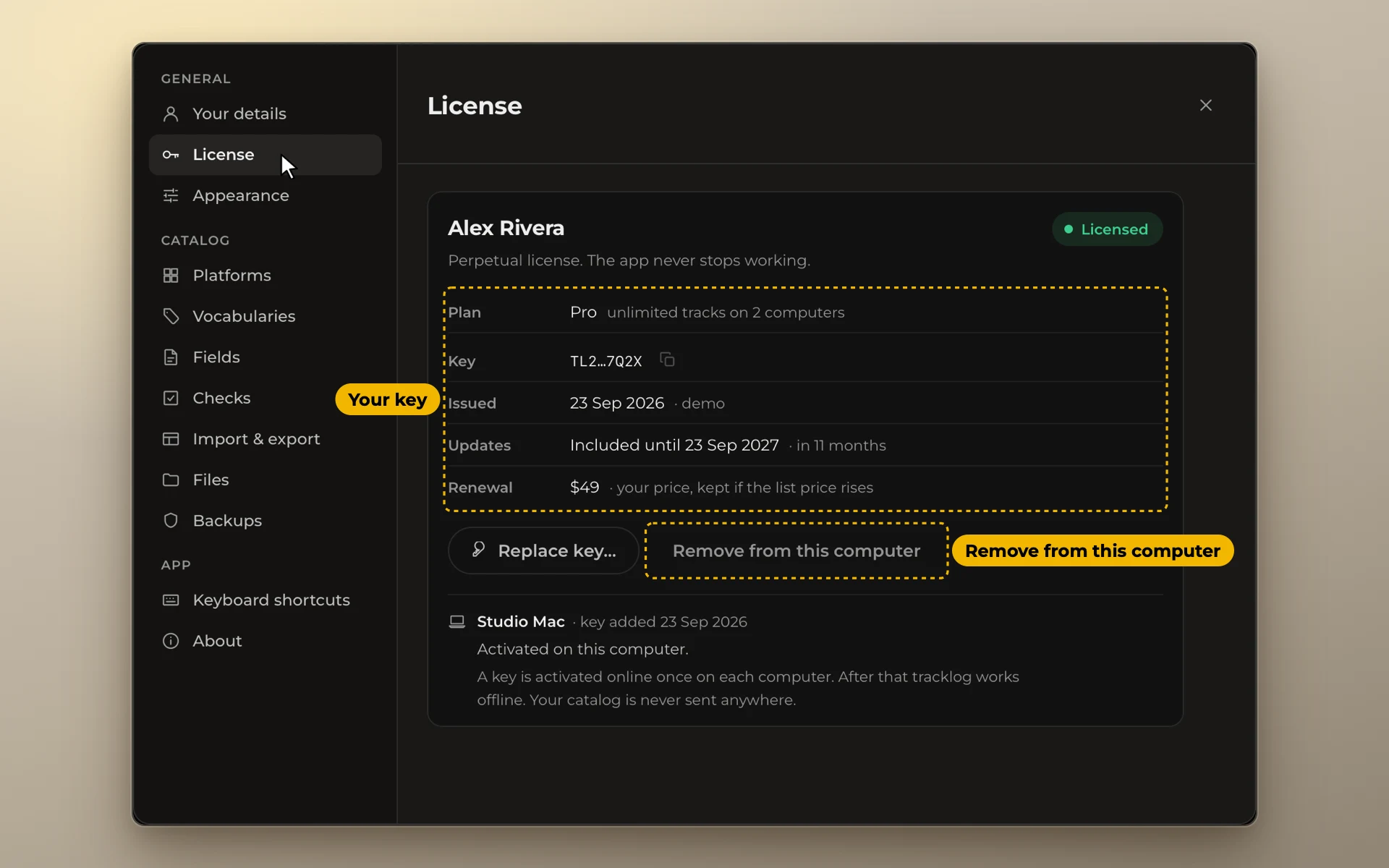
- On the old computer: Settings → License → Remove from this computer.
- On the new computer: install tracklog and paste your key. tracklog activates it online once. Then open Settings → Backups → Open a backup… and choose that file.
Platforms, word lists, fields and column settings move with the backup.
If the old computer is gone
Paste your key on the new computer anyway. If all the places on your key are taken, tracklog lists the computers that hold them. Click Remove next to the old one. You can do this three times a month. After that, write to hi@tracklog.studio and the place will be freed for you.
A computer without internet
Open Settings → License and click Activate with your phone. Scan the code with your phone. The page that opens gives you a code. Type it into tracklog, or download it as a file and paste it.
If your updates have ended
The newest tracklog may have come out after your updates ended. Then it isn't part of your license. Paste your key before you open the backup. tracklog tells you so and shows Install version 1.4 with your own number. That is the newest version that came out before your updates ended.
Click it. tracklog installs that version and restarts. Then open your backup there.